YOUR EVERYDAY SETUP
One place for all the ways you help.
Start with the complete toolkit, or choose the situation that sounds most like you.
Find the right features without leaving anything behind.
A live chat, an AI teammate and all the little things that help you show up. Find what fits the way you work.
Make yourself at home ↗
 Different products.One thoughtful support home.
The inbox, the widget, the settings.
Explore the interface with example conversations.
 orka.
orka. Available
 ! Banners 1

 Alex Morgan2mCoast & Co.

 Sam Rivera12mMy calorie tracker

 Jamie Chen23mMy outreach app

 Taylor Brown1hMy blogging app
 Robin Lee2hCoast & Co.
 Charlie Davis2hMy calorie tracker
 Morgan Parker3hMy outreach app
 Avery Jones4hMy blogging app Judy Normal urgency SummarizeJudy14:26Private note
@Milo Could you check the shipping update?
orka. Available ! Banners 1All projects
 Your website 18 Your app 6
Your website Viewing now
Start a conversationorka. Available ! Banners 1CharlesMax›Choose how visitors say hello.
Dress your widget for the occasion.
Its colors, its texts and a little ornament. Your logo and your team stay.
What should visitors see once they have opened the chat?
Keep a small, discreet button to reopen the chat.
Continue showing People after closing.
Find answers about your order, your account and all things Coast & Co.
orka. Available ! Banners 1CharlesMax›Choose where visitors go to find guides and answers.
Visitors only see the chat.
Publish your articles with Orka.
Use a help center you already have.
Visitors can search and read articles before starting a conversation.
Title, address and links of the public site.
Find answers about your order, your account and all things Coast & Co.
orka. Available ! Banners 1CharlesMax›One connection for every AI feature of this project.
Orka AINo key needed. Pay through Orka.Chooseorka. Available ! Banners 1CharlesMax›Connect the AI tools of your team to this project: they write your help center, read your conversations and set up your AI agent.
Interface previews · Fictional projects, visitors and conversations.
Start with the complete toolkit, or choose the situation that sounds most like you.
Find the right features without leaving anything behind.
Give your customers a proper welcome while keeping room for the rest of your business.
Keep the everyday answers in your help center, ask Orky for a draft, and set your hours.
Know who is replying, share context privately, and keep the next step clear.
Assign an owner, leave a note and set a reminder. Max includes 12 teammates; add more for €8/member/month.
Help visitors with office hours, appointment questions and the next person to contact.
Use reviewed drafts and human handovers for general enquiries. Keep case-specific advice and confidential documents in your firm’s approved channels.
Answer product questions with the visitor’s page and cart context close at hand.
See what they are looking at, answer in their language, and bring in a person for an exception.
Bring account context into support and give recurring setup questions a useful answer.
Connect customer attributes, feed Orky your docs, and help users across every project.
Keep client projects in one place and carry the context from one teammate to the next.
Filter by project, tag a conversation and leave private notes before passing it on.
Every feature stays here. Your profile simply highlights a useful place to start.
79 features · the complete toolkit
Features and team limits vary by plan. AI usage is billed separately. Check the current plans ↗
Try a shorter search or choose another category.
Everything you need to answer well.
Judy Normal urgency SummarizeTalk to visitors while they are on your website, with replies in the same conversation.
Useful for your setup Judy Normal urgency SummarizeGet a head start on a question before your visitor presses send.
Useful for your setupCan I change my delivery address?
Do you offer delivery to France?
How do I invite another teammate?
Pick up an earlier conversation and find messages by keyword.
Light, Pro & MaxUseful for your setupGive repeat answers a shortcut so you can spend more time on the personal part.
Light, Pro & MaxUseful for your setup Judy Normal urgency SummarizeShare a document, screenshot or image right inside a conversation.
Light, Pro & MaxUseful for your setupNo emoji found. Try “happy” or “thanks”.
No matching GIF in this preview.
Find the right emoji or GIF for a friendly hello, a thank-you or a little personality, without leaving the composer.
Useful for your setupSee when your reply has been read and know where the conversation stands.
Useful for your setupJust received it — thank you!
Back in the same conversationKeep the conversation going when someone has already left your website.
Useful for your setupKeep the context when a conversation changes hands.
Alex Morgan2mCoast & Co.Sam Rivera12mMy calorie trackerJamie Chen23mMy outreach appTaylor Brown1hMy blogging appRobin Lee2hCoast & Co.Charlie Davis2hMy calorie trackerMorgan Parker3hMy outreach appAvery Jones4hMy blogging appBring conversations from every website and project into one shared workspace and subscription.
Unlimited projects on every planUseful for your setup Judy Give each conversation an owner so everyone knows who is taking care of it.
Useful for your setupJudyPrivate note@Theo Their trial ends Friday. Please check in with the team tomorrow.
Leave a note for your team. Use @ to mention someone.
Add note ↑Leave colorful private notes in the conversation and @mention the right teammate. Choose mint, pink, lime, yellow, purple, blue or orange. Visitors never see your notes.
Useful for your setupMessage a teammate directly or start a group conversation as soon as your team has two people. Keep a small teammate chat open beside your customer inbox, without switching to WhatsApp or Slack.
Light, Pro & Max · 2+ team membersUseful for your setupTag conversations by topic or product, then filter the inbox to find the requests that need your attention.
Light, Pro & MaxUseful for your setupFocus on a project, agent or conversation status without switching accounts.
Light, Pro & MaxUseful for your setupClose the loop when a question is answered, while keeping its history available.
Useful for your setupSet a reminder to return to a conversation that needs another look.
Light, Pro & MaxUseful for your setupGreen, yellow, orange and red chili indicators identify low, normal, high and critical conversations before you open them.
Pro & Max · AI usage separateUseful for your setupJudy ROwner● AvailableTheoAgent● AvailableMateoAgent● AvailableFree includes one person, Light two, Pro three and Max twelve. Every plan includes unlimited projects.
Free: 1 · Light: 2 · Pro: 3 · Max: 12 (+€8/extra member/mo)Useful for your setup+9Max includes 12 team members. Add more for €8 per member per month. Free, Light and Pro have fixed limits of 1, 2 and 3 members.
Max · €8 per additional member/monthUseful for your setupChoose when AI suggests, replies or steps aside.
What Orky searches before it answers.
Ground AI drafts and replies in your help center, website, uploaded files and business instructions. Explore Orky AI ↗
Pro & Max · AI usage separateUseful for your setupLet Orky cover conversations when you are busy or offline, with a handover to a person when help is needed. Explore Orky AI ↗
Pro & Max · AI usage separateUseful for your setupAbsolutely! Open a meal and choose Save meal. You can add it again from your saved meals.
Get a suggested answer based on your help center, website, uploaded files and business instructions. Review, edit and send it yourself. Explore Orky AI ↗
Pro & Max · AI usage separateUseful for your setupOrky steps aside when someone asks for a human, gets frustrated, or needs help beyond its knowledge or capabilities. Your team keeps the conversation context. Explore Orky AI ↗
Pro & Max · AI usage separateUseful for your setupEnable or disable AI in an individual conversation and keep control of where it helps. Explore Orky AI ↗
Pro & Max · AI usage separateUseful for your setup Judy Normal urgency SummarizeRead the original and translated messages together. Translate your replies and enable several translation languages in the same conversation for a multilingual team. See how translation works ↗
Pro & Max · AI usage separateUseful for your setupPick a button. Review the draft. Make it yours.
Say hi, say goodbye, make small talk, talk about the weather or draft an AI answer from the composer. Explore Orky AI ↗
Pro & Max · AI usage separateUseful for your setupJamie ChenCoast & Co.Catch-upJamie needs an order sent to a new address. The parcel has not shipped; Judy has checked the change with the warehouse.
Judy TheoCatch up on the key points before you take over or hand a conversation to someone else. Explore Orky AI ↗
Pro & Max · AI usage separateUseful for your setupChoose a provider and the model that works for you.
Let Orka manage AI without a key, or connect your own OpenAI, Anthropic or OpenRouter API key. Explore Orky AI ↗
Pro & Max · AI usage separateUseful for your setupPay your AI provider directly.
Your key is checked with your provider, then stored encrypted.
Connect an OpenAI, Anthropic or OpenRouter API key and pay that provider directly, with no Orka markup. Explore Orky AI ↗
Pro & Max · AI usage separateUseful for your setupOnly the features that run. Connecting uses none.
No API key needed: choose Orka-managed AI on Pro or Max and pay for the usage separately. Explore Orky AI ↗
Pro & Max · AI usage separateUseful for your setuporka. Available ! Banners 1CharlesMax›Your brand, clearly an AI: visitors always know who’s answering.
This is the image your users will see when chatting with AI
ChangeRemoveUpload an image up to 2 MB.Find answers about your order, your account and all things Coast & Co.
Make your AI teammate part of your brand with a custom name and image. Explore Orky AI ↗
MaxUseful for your setupOrky stops answering and passes the chat to your team.
Choose keywords that should bring in a person. When one appears, Orky escalates the conversation to your team. Explore Orky AI ↗
Pro & Max · AI usage separateUseful for your setupYour team checks uncertain replies.
Its answer is still sent, and your team checks it.
Set a confidence threshold and flag low-confidence answers for human review. Keep uncertain replies visible to the people who can help. Explore Orky AI ↗
Pro & Max · AI usage separateUseful for your setupBring in the right teammate.
JudyOnline · Notified and assignedNotify the whole team, online teammates or selected people when AI hands over, and assign the conversation to someone. Explore Orky AI ↗
Pro & Max · AI usage separateUseful for your setupOrkyJudyOrder #1048 · Delivery address change
Customer’s messages, AI replies and private notes.Keep the complete conversation history when a human takes over. Customize the handoff message your visitor sees. Explore Orky AI ↗
Pro & Max · AI usage separateUseful for your setupUnderstand the visit before you write the reply.
orka. Available ! Banners 1All projects
Your website 18 Your app 6Your website Viewing now
Start a conversationSee where visitors are, zoom into a group and explore individual visitors across your projects.
Light, Pro & MaxUseful for your setuporka. Available ! Banners 1All projects
Your website 18 Your app 6Your website Viewing now
Start a conversationSee who is online, which project they are visiting and the page they have open.
Useful for your setupKeep identity, email, location, language, local time and device information beside the conversation when available.
Useful for your setupcoast.example/products/forest-cap Nowcoast.example/collections/caps 4 minutes agocoast.example 7 minutes agoUnderstand the page a visitor is on and where they were just before asking for help.
Useful for your setupcoast.example/account◷ NowBring useful account details into the visitor profile, such as plan, account status or a link to your admin. Explore the SDK ↗ · Connect your AI tools with MCP ↗
Requires your integration to supply the dataUseful for your setupSee the products in a visitor’s cart, with quantity and value, when the connected store supplies them.
Requires connected cart dataUseful for your setupReview support activity across your conversations. Max adds satisfaction scores and performance reports by teammate and time of day.
Light, Pro & MaxUseful for your setupSee how customers rate their support conversations. Use their feedback to spot what works and what needs more care.
MaxUseful for your setupJudy RAgent987621MateoAgent1017610TheoAgent1007583Track response times by teammate and time of day. Understand when your team needs more coverage and where support can improve.
MaxUseful for your setupA useful home for what your customers need to know.
Find answers about your order, your account and all things Coast & Co.
Give customers a place to find answers before they need to start a chat. Explore the help center ↗
Included on every planUseful for your setupTout ce dont vous avez besoin,
au même endroit.
Make your help center available in the languages your customers use. Explore the help center ↗
Included on every planUseful for your setuporka. Available ! Banners 1CharlesMax›Choose where visitors go to find guides and answers.
Visitors only see the chat.
Publish your articles with Orka.
Use a help center you already have.
Visitors can search and read articles before starting a conversation.
Title, address and links of the public site.
Find answers about your order, your account and all things Coast & Co.
Publish on your own domain or a branded orka.help address. Explore the help center ↗
Help center included on every planUseful for your setup Gleap
Gleap Gorgias
 Intercom
 Crisp
Crisp GitBook
 Help Scout
 Fernand
 tawk.to
Import your help content in one click from Gleap, Gorgias, Intercom, GitBook, Help Scout, Fernand, Crisp or tawk.to. Need another source? Contact us to request an importer.
Help center included on every planUseful for your setup## Change your booking Open your **confirmation email**. Select **Manage booking**. > We’ll email your new time.
Plans changed? Open your confirmation email and select Manage booking.
Write clear articles in Markdown and preview them before publishing. Explore the help center ↗
Help center included on every planUseful for your setupOrganize articles into collections and sections, then choose their order. Explore the help center ↗
Help center included on every planUseful for your setupTranslate articles in the background from your chosen source language. Explore the help center ↗
Pro & Max · AI usage separateUseful for your setupReview translations by hand, translate missing articles and see when source edits make a translation outdated. Explore the help center ↗
AI translation on Pro & Max · AI usage separateUseful for your setupLet visitors search and read articles in the Help tab before starting a conversation. Explore the help center ↗
Help center included on every planUseful for your setupYou can choose a new time from Manage booking in your confirmation email.
Based on your help articlePublished articles feed your AI agent as well as your public help center. Explore the help center ↗
AI answers on Pro & Max · AI usage separateUseful for your setupSearch and filter articles by collection and state. Publish or unpublish when ready. Explore the help center ↗
Help center included on every planUseful for your setupSee which articles get read and how readers react to them. Explore the help center ↗
Help center included on every planUseful for your setuphow-to-change-your-bookingPick a new date in a few simple steps.
Set a URL slug, excerpt, meta title and meta description, with an autofill option. Explore the help center ↗
Help center included on every planUseful for your setupCustomize its title, subtitle, color and website link, with translated public text. Explore the help center ↗
Help center included on every planUseful for your setupGive visitors a clear picture of when you are around.
Turn live chat on when you want a real-time conversation, or switch it off to show an email form and reply later. Choose the mode for each project and switch back whenever you like. Visitors who have already written keep their conversation. Your online or away status also sets expectations.
Useful for your setupSet expectations with your real average response time in the widget.
Useful for your setupShow your team’s local time and let visitors know when your humans are asleep.
Light, Pro & MaxUseful for your setupLet people know you are taking time off and when they can expect you back.
Light, Pro & MaxUseful for your setupA real-life emergency? Put a clear heads-up in your widget when replies may take longer.
Light, Pro & MaxUseful for your setupWhen your team is offline, collect the visitor’s contact details and question so you can follow up when you return.
Light, Pro & MaxUseful for your setupReplace live chat with your email form.
Choose the days and hours when an email form replaces live chat, even if a teammate is online. Everything follows your project’s time zone.
Light, Pro & MaxUseful for your setupShow a night banner, an emergency notice or an announcement in your widget. Keep visitors informed before they start a chat.
Light, Pro & MaxUseful for your setupYour brand, your people, your corner of the internet.
orka. Available ! Banners 1CharlesMax›Choose how visitors say hello.
Dress your widget for the occasion.
Its colors, its texts and a little ornament. Your logo and your team stay.
What should visitors see once they have opened the chat?
Keep a small, discreet button to reopen the chat.
Continue showing People after closing.
Find answers about your order, your account and all things Coast & Co.
Customize your widget’s colors, welcome text and tone to match your website.
Useful for your setupChat with us We’re onlineChat with us We’re onlineLéoMateoTheoChoose from dozens of widget designs, from a simple messenger to a welcome that puts your team front and center.
Included on every planUseful for your setupA little holiday helpWe’re here for youBoo! Need a hand?The same friendly teamGive your widget a seasonal look while keeping the same helpful people behind it.
Useful for your setupGive visitors a widget that carries your own brand throughout.
MaxUseful for your setupFrom your first website to every project after it.
 Shopify
 WordPress
 Webflow
 Squarespace
 Framer
The Orka app adds the widget to your theme.
Add Orka to Shopify, WordPress, Webflow, SaaS products, landing pages and other websites.
Useful for your setupConnect a project and add the widget without a long technical setup.
Useful for your setupOrka.update({
plan: "Pro",
usage: "82 / 100"
});Use the Orka JavaScript SDK to send custom visitor data: subscription plan, usage tier, installation date, Shopify merchant details, internal links and the fields your team needs. Explore the SDK ↗
Useful for your setup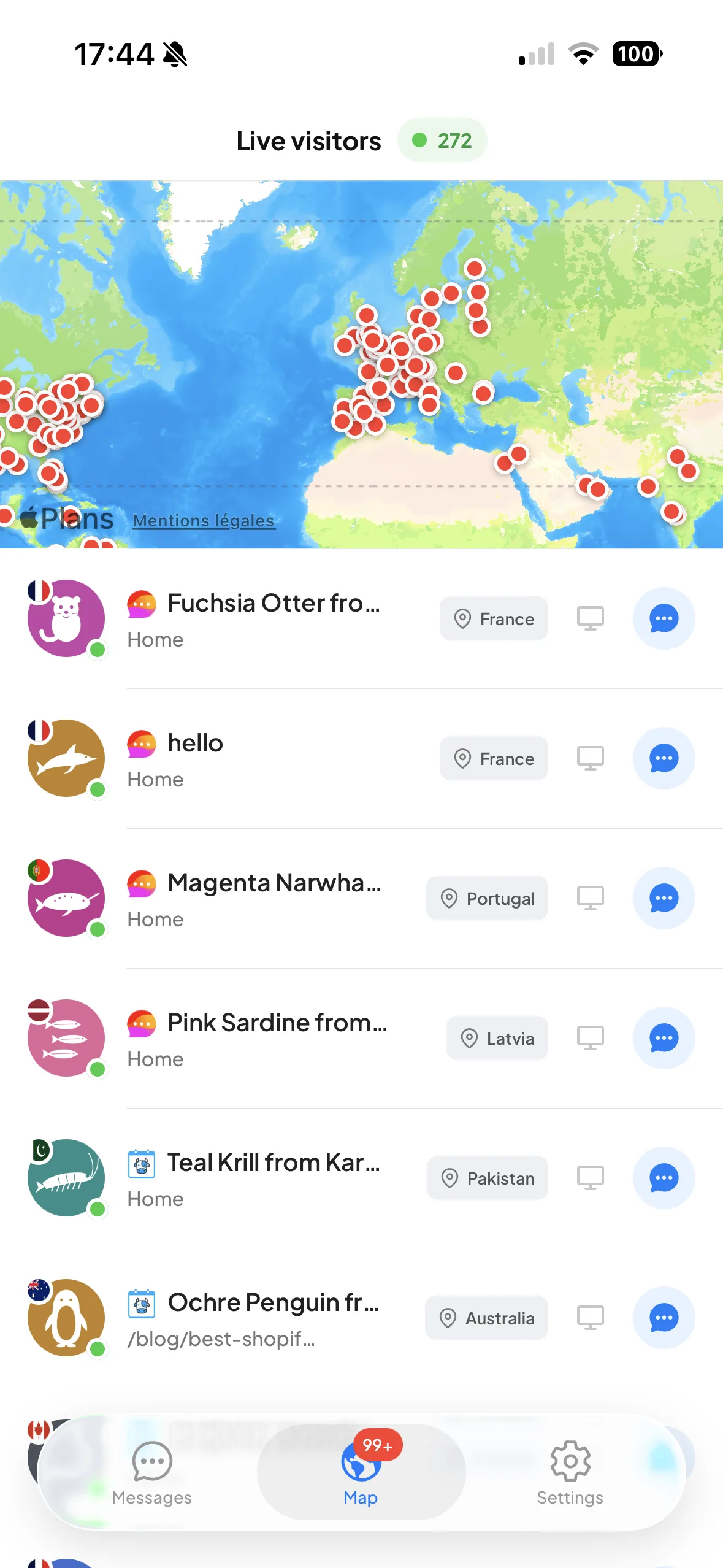
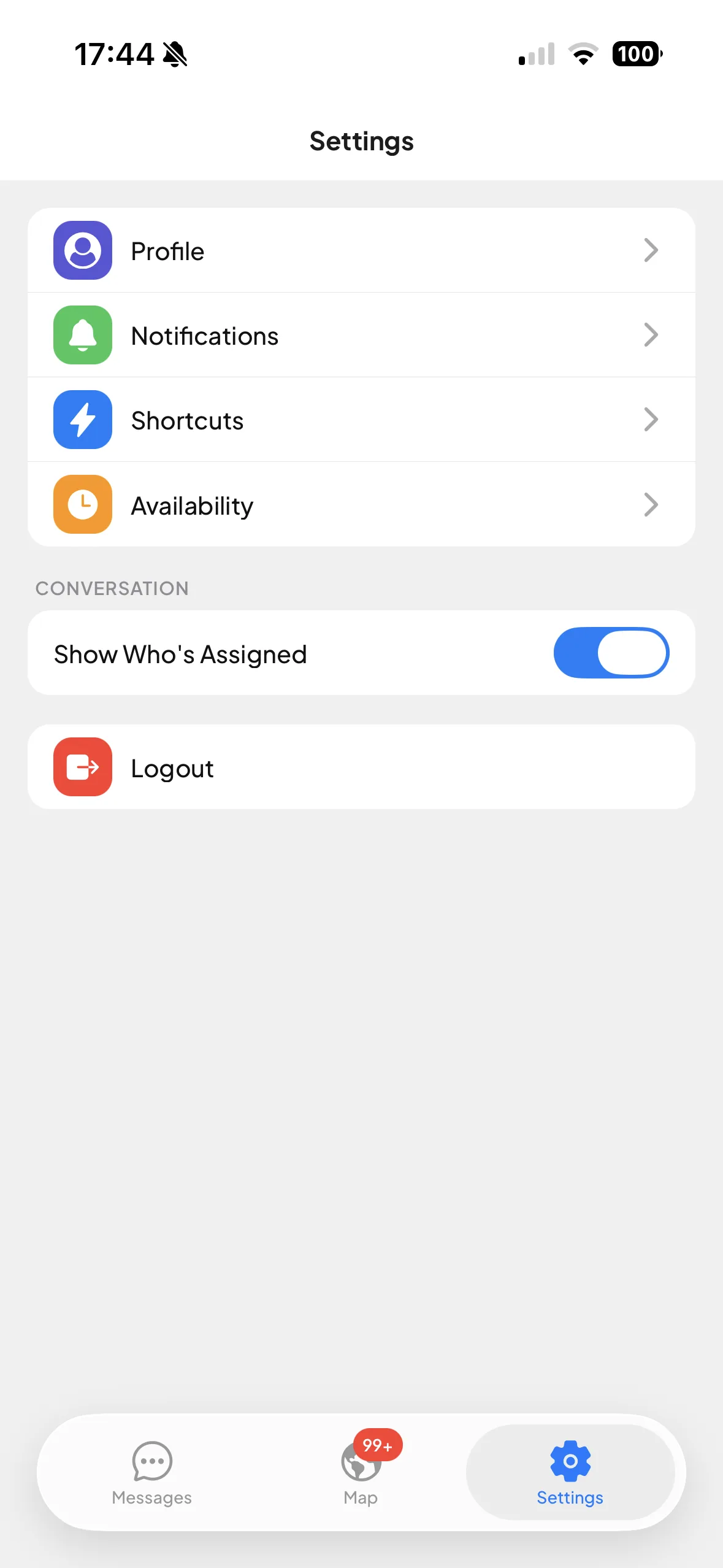
Reply from your phone when you step away from your desk. Orka for iOS ↗ · Orka for Android ↗
Included on every planUseful for your setupChat with usAdd a helpful conversation to your site with a widget designed to stay light.
Useful for your setup192.0.2.42Keep unwanted traffic out of your chat with controls for individual IP addresses and countries.
Useful for your setupMax gives integrations higher API rate limits as your support activity grows. Contact the team for the limits that apply to your use case. Explore the SDK ↗
MaxUseful for your setupOrkaConnect your AI tools to an Orka project. Work on help articles, read conversations and configure your AI agent from the tools you already use. Explore the Orka MCP server ↗
MaxUseful for your setupBecause everyone loves a good post-it. Leave a private note in the conversation, mention a teammate and keep the useful bits close.
Emma Private note@Theo Could you check the new delivery address?
Theo Private noteChecked with the team. We can update it before it ships.
Emma Private notePerfect. I’ll let them know.
Private notes stay inside your team.
Message a teammate directly or start a group conversation. Discuss the answer together, without jumping into WhatsApp or Slack.
Direct messages and group conversations from two teammates. Included on Light, Pro and Max.

One project today. Your whole pod tomorrow.
Start free · No card required ↗